
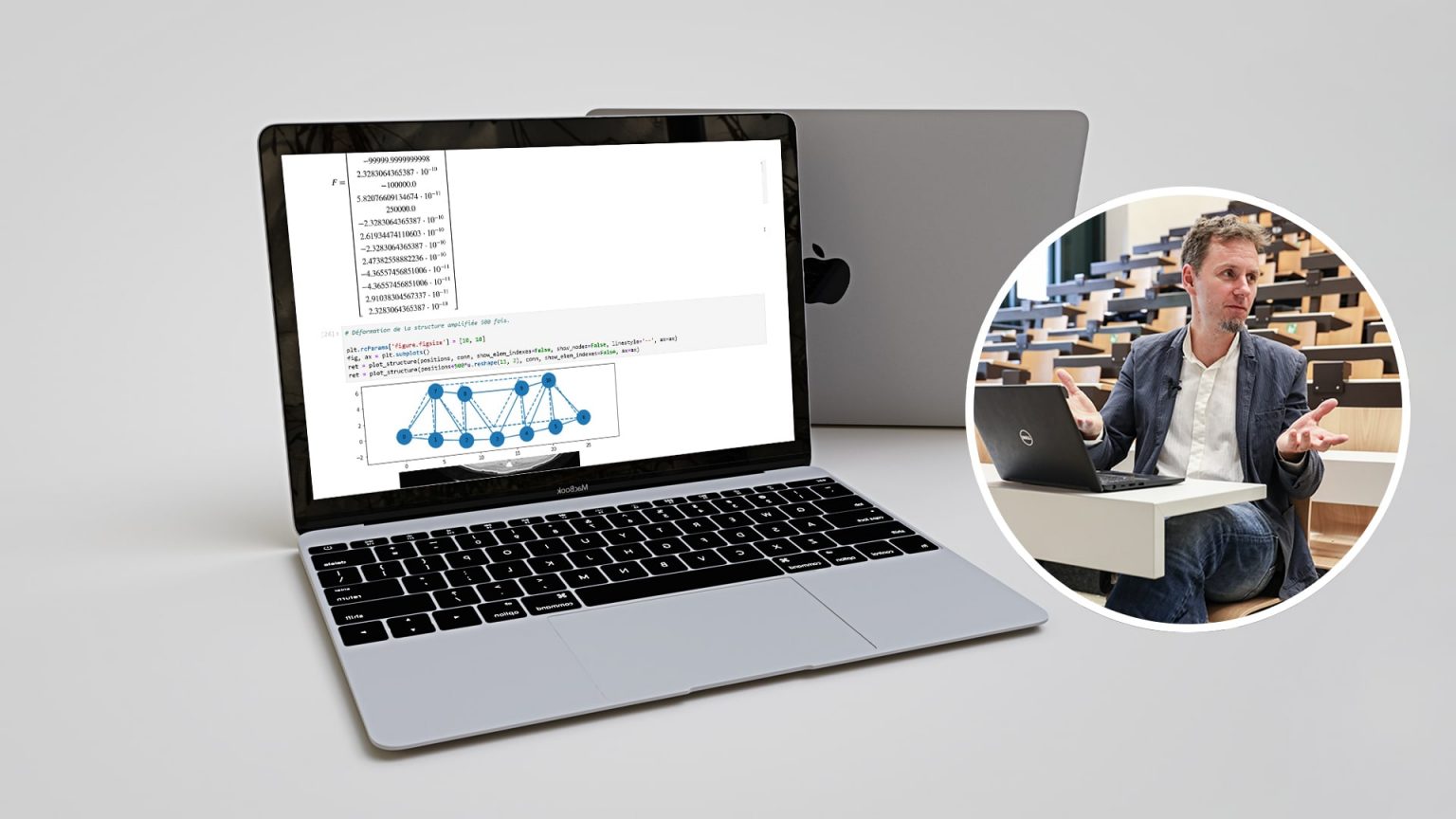
Using code to better understand the physics behind equations – Credit Alain Herzog for the portrait
Guillaume Anciaux, a research and teaching associate in civil engineering at EPFL, uses Jupyter Notebooks to help students learn about computer simulations. For him, code is a way to better understand equations and the phenomena they represent.
Civil engineers must build solid, stable structures. That means they can’t blindly trust the results of computer simulations without thinking about the code that’s behind them. According to Guillaume Anciaux, a research and teaching associate at EPFL’s Computational Solid Mechanics Laboratory, it’s important to make a distinction between “a structure that’s predicted to fail because of a digital artifact resulting from a poorly formulated problem, and a structure that really is unstable.” He’s therefore set on teaching future engineers best practices in computer simulation – but it’s not as easy as crossing a bridge.
Anciaux began using Jupyter Notebooks in the civil engineering course he teaches in the spring 2021 semester. He already had experience with these interactive, online notebooks after using them as digital notepads during his research work. Students can access Jupyter Notebooks on noto, the EPFL centralized JupyterLab platform for education, which doesn’t require them to install any special software.
Connecting code to equations
Anciaux and his teaching assistant have developed around a dozen Jupyter Notebooks to better explain the more difficult concepts of his course and help students make the connection between the equations they learn in class and real-world phenomena. “Since the notebooks are interactive, students can change the values of variables in an equation and immediately see what happens. That gives them a better sense of the physical reality underlying the equations,” he says. “I would’ve loved to have something like that when I was a student, to see the exact link between an equation in a simulation and the code behind it.” For instance, Anciaux’s students use the notebooks to explore beam deformation and natural frequencies. “My grandmother told me never to march across a bridge military-style, or else it’ll collapse. I try to explain why to my students,” he says.
Learn how to design exercise worksheets in Jupyter notebooks
The notebooks are also used for exercises where students are asked to complete sections of code with missing elements. “We want them to learn to challenge code and spot potential problems, because you can’t take any shortcuts when it comes to programming equations,” he says. “My class is for third-year students, and the hard part is getting the level of difficulty just right. It takes a lot of fine-tuning because the students come from very different backgrounds,” he says. They aren’t all equally familiar with the Python programming language, for example. “Some of them told me they were having trouble because they’d never written code in Python before. So we set up online forums and try to help them as best we can.”
After trying out the notebooks this semester, Anciaux still needs to make adjustments, but he’s convinced of their value for helping students better understand the computer simulations they run by illustrating the link between mathematics and the practice of civil engineering. Of course, that includes code analysis, so students don’t get tricked by digital artifacts.
Author: Laureline Duvillard
Videos:
Notebooks:
Share on


Other stories
Automatically graded image processing assignments
Pol del Aguila Pla uses automated grading in image processing labs based on Jupyter Notebooks.
Virtual demonstrations in physics
Virtual demonstrations help students visualize the different variables involved in experiments in Cécile Hébert’s Jupyter Notebooks.
Interactive signal processing textbook
Music is a central element in the interactive textbook designed by Paolo Prandoni to teach signal processing with Jupyter Notebooks.