
To access event venues (rooms and campus buildings that are not freely accessible) and technical equipment—particularly to activate the room systems and lighting and/or access the projector remote control—an “Trousseau Event” (Events Key set) must be borrowed from Mediacom Events (MEV).
Once MEV has activated your access rights following the venue reservation, you will be able to collect and return the “Events Key Set” using the key cabinet.
You can check the standard access rights linked to your Camipro card at any time via https://mycamipro.epfl.ch/ by selecting “Access rights”.
Trousseau Events
The “Trousseau Events” includes:
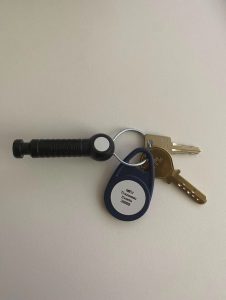
- an electronic access key
providing access to the relevant buildings, rooms and lecture halls; - a system activation key
used to activate certain technical systems, such as the lighting and/or ventilation in the rooms; - a control-box key
providing access to the projector remote control, located in the beige box generally installed next to the blackboards. Where available, this key also provides access to the lapel microphones; - a key tag
used to return the “Trousseau Events” to the key cabinet.
Borrowing and returning the keys
The key cabinet is located in the CM corridor on level 0, opposite room CM 0 10:
https://plan.epfl.ch/?room==CM%200%2094.7
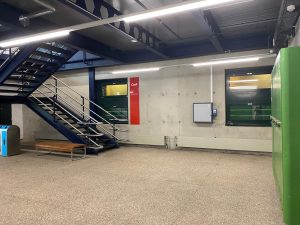
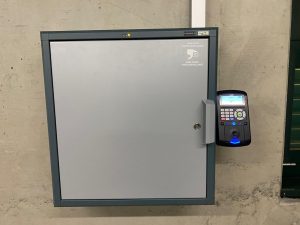
The “Trousseau Events” may be collected no earlier than one working day before the event. It must be returned no later than the day after the event. The relevant dates will be provided in the logistics programme for your EVT request.
Picking up the “Trousseau Events”
Place your Camipro card against the key cabinet reader.
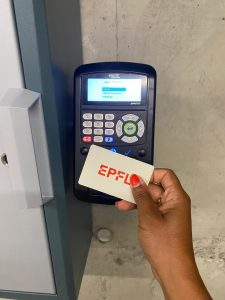
Select “Retirer” (Pick up), then confirm your choice by pressing the central button with the green arrow.
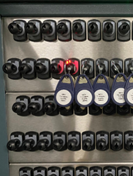
The cabinet opens automatically and indicates the location of the “Trousseau Events” to be collected. The corresponding position is marked by a flashing red light.
Returning the “Trousseau Events”
Place the key tag against the circle located at the bottom of the reader.
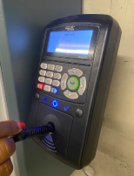
Select “Restituer” (Return), then confirm your choice by pressing the central button with the green arrow.
The cabinet opens automatically and indicates where the “Trousseau Events” must be returned. The corresponding position is marked by a flashing red light.
Place the “Trousseau Events” in the indicated position and make sure that the cabinet is properly closed.
Loan conditions
The person borrowing the “Trousseau Events” is responsible for it until it has been returned.
If it is not returned by the specified deadline, the “TrousseauEvents” will be deactivated for security reasons. The keys used to activate the room systems and lighting and to access the projector control box will then be considered lost. The person responsible will be charged, even if the “Trousseau Events” is returned after the deadline.
Fee charged for late return: CHF 100.–
The “Events Key Set” may only be borrowed for one-off bookings. It cannot be used for long-term access requirements. Faculty members and lecturers requiring regular access should consult the following procedure:
https://www.epfl.ch/education/teaching/fr/enseignement/teaching-guide/preparation/soutien-et-logistique-supplementaires/